Latest Posts

Thursday, November 02, 2017

Download Tecno DroidPad 10D Stock ROM (Firmware)

Below is the direct link to download the Tecno DroidPad 10D Stock ROM (Firmware).
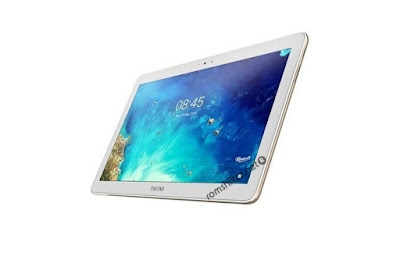
Download Tecno DroidPad 10D Stock ROM (Firmware)


Note:
Follow the instructions on how to flash this device carefully, I will not take responsibility on whatever may happen to your device.Make sure you are downloading the exact ROM of the device you want to flash because flashing a wrong preloader will make the device completely dead (can't power on, can't charge and will not be detected by a computer).

Thursday, August 31, 2017

Download Gionee E3T Stock ROM

Below is the direct link to download the Gionee E3T Stock ROM (Firmware).

Download Gionee E3T Stock ROM

Note:
Follow the instructions on how to flash this device carefully, I will not take responsibility on whatever may happen to your device.Make sure you are downloading the exact ROM of the device you want to flash because flashing a wrong preloader will make the device completely dead (can't power on, can't charge and will not be detected by a computer).

Monday, August 14, 2017

Download Itel A13 Stock ROM

Below is the direct link to download the iTel A13 Stock ROM (Firmware).


Note:
Follow the instructions on how to flash this device carefully, I will not take responsibility on whatever may happen to your device.
Make sure you are downloading the exact ROM of the device you want to flash because flashing a wrong preloader will make the device completely dead (can't power on, can't charge and will not be detected by a computer).

Tuesday, August 01, 2017

How To Flash Lenovo A658T Using SML Flash Tool

This is a tutorial on how to How To Flash Lenovo A658T Using SML Flash Tool. With this tutorial you can flash all lenovo A658T devices.

Requirements

STEPS »

STEP 1: Download & Launch SML Flash Tool.
STEP 2: After launching, Click on Download
STEP 3: Select the relevant profile (DT-L1801-Micron-USB-HS or DT-L1801-Micron-USB).
STEP 4: Click on the three doted button (...) to select the firmware.
STEP 5: Under Download Type, Select Bootloader.
STEP 6: After selecting the firmware, Tick on Show info (which is located at the left the bottom of the SML Flash Tool).
STEP 7: Click on the Start Download button to begin flash process.
STEP 8: Connect device >> holding volume - button only, Patiently wait for the process to complete.
STEP 9: Once the process has been  completed, a green success bar will be shown.


Follow the Screenshots or read the tutorials above


Watch Full Video ⤵


Please Leave a comment after using this Tutorials
Report if you cannot do this.
 

Thursday, June 22, 2017

Download M-horse Nova 5 Stock ROM

Below is the direct link to download the M-horse Nova 5 Stock ROM (Firmware).

DOWNLOAD M-HORSE NOVA 5 STOCK ROM

Note:
Follow the instructions on how to flash this device carefully, I will not take responsibility on whatever may happen to your device.
Make sure you are downloading the exact ROM of the device you want to flash because flashing a wrong preloader will make the device completely dead (can't power on, can't charge and will not be detected by a computer).

Thursday, June 15, 2017

Best Way To Easily Bypass FRP in Most MTK & SPD Android Devices

This is a tutorial on how to bypass Factory Reset Protection (FRP) in most SPD & MTK Android devices running any Android Version that supports FRP Security

What Is FRP?

Factory Reset Protection (FRP) is a security method that was designed to make sure someone can't just wipe and factory reset your phone if you've lost it or it was stolen.

This Simply means that when a device enters this FRP security, its data can not be accessed. You need to be the owner of the device before you can unlock it. In a situation whereby you own an android device and just after wiping or factory resetting the device it enters the Factory Reset Protection (FRP) and maybe you no longer have access to your email or password then you will need to bypass the FRP security to gain access or use your device.

There are many ways in which the FRP security can be bypassed and this is one of the easiest way! On this tutorial, i will show you on how you can bypass this factory reset protection (FRP) without much stress or bypass knowledge in most SPD & MTK Android devices just follow the step below.

STEPS »

Requirements:
Miracle Box Setup or Cracked Version
or 
Volcano Box with Inferno Tool Setup

USING MIRACLE BOX

STEP 1: Launch Miracle Box.
STEP 2: Select your device chip tab (MTK or SPD).
STEP 3: Select Read.
STEP 4: Connect device >> holding volume + and volume - button of your device at the same time or holding power button only.
STEP 5: Select the location to save the firmware.
STEP 6: Once the firmware has been successfully read and saved, Now write back the firmware you have saved into your device - When writing back this firmware unselect Userdata and Cache or Ignore but perform a hard reset after writing.


USING INFERNO TOOL

STEP 1: Launch Inferno Tool Setup based on your device chip (MTK_Vol_EXT or SPD_Vol_EXT).
STEP 2: Select Backup Factory Files.
STEP 3: Select USB Backup.
STEP 4: Select the location to save the firmware.
STEP 5: Connect device >> holding volume + and volume - button of your device at the same time or holding power button only.
 STEP 6: Once the firmware has been successfully read and saved, Now write back the firmware you have saved into your device - When writing back this firmware unselect Userdata and Cache or Ignore but perform a hard reset after writing.

For more tutorial with screenshots and videos:
Conclusion: This tutorial is simply trying to let you know that you can bypass FRP protection in most MTK & SPD Android devices by simply backing up the affected device and writing back the firmware you have backed up back into the device. By doing so the factory reset protection security data are being wiped in the process leaving the device FRP free. Enjoy and Happy Bypassing!


Please Leave a comment after using this Tutorial
Report if you cannot do this.


Download M-horse S15 Stock ROM

Below is the direct link to download the M-horse S15 Stock ROM (Firmware).

DOWNLOAD M-HORSE S15 STOCK ROM

Note:
Follow the instructions on how to flash this device carefully, I will not take responsibility on whatever may happen to your device.
Make sure you are downloading the exact ROM of the device you want to flash because flashing a wrong preloader will make the device completely dead (can't power on, can't charge and will not be detected by a computer).

Tuesday, June 13, 2017

How To Root Tecno W2

This is a tutorial on how to Root Tecno W2.

What Is Rooting?

Rooting can be said to be Android jailbreaking. Its simply a means of unlocking the operating system of a device so you can install unapproved apps, delete unwanted bloatware, update the OS, replace the firmware, overclock (or underclock) the processor, writing or changing IMEI, installing fonts, customizing anything and so on.


Tecno W2 another Tecno device runing Android 6.0 (Marshmallow).
This simply means that rooting this device could sound difficult but it's simply easy to execute if you carefully follow the few steps given bellow.

Friday, June 09, 2017

Download Tecno S1M Stock ROM

Below is the direct link to download the Tecno S1M Stock ROM (Firmware).

DOWNLOAD TECNO S1M STOCK ROM

Note:
Follow the instructions on how to flash this device carefully, I will not take responsibility on whatever may happen to your device.
Make sure you are downloading the exact ROM of the device you want to flash because flashing a wrong preloader will make the device completely dead (can't power on, can't charge and will not be detected by a computer).

Download Tecno B6S Stock ROM

Below is the direct link to download the Tecno B6S Stock ROM (Firmware).

DOWNLOAD TECNO B6S STOCK ROM

Note:
Follow the instructions on how to flash this device carefully, I will not take responsibility on whatever may happen to your device.
Make sure you are downloading the exact ROM of the device you want to flash because flashing a wrong preloader will make the device completely dead (can't power on, can't charge and will not be detected by a computer).
Firmware Categories
 TECNO
 INFINIX
 GIONEE
 HUAWEI
 ITEL
 MICROMAX
 THL
 VODAFONE

What are you looking for?


We have moved! If you can't find what you're looking for, kindly head to our new website @ https://romshillzz.net | or our forum https://forum.gsmtutors.com

Sponsored

GSM-Tutors Forum

.

Instagram Follow on Instagram Follow RomShillzz

Email: romshillzz@gmail.com

WhatsApp ✆: +2348100999057


Featured Post

How To Write IMEI On MTK Android Devices Using Inferno Tool

This is a tutorial on how to Write IMEI On MTK Android Devices Using Inferno Tool. With this tutorial you can write IMEI on any version (inc...

Popular Posts

Recent Comments

Support